Back to Nodes
Z-Image Turbo Image Edit

Z-Image Turbo Image Edit

Official

Z-Image image-to-image editing with strength and size controls.

Nodespell AI
AI / Image / Alibaba

Z-Image image-to-image editing with strength and size controls.

Z-Image Turbo Image Edit uses an input image plus prompt to steer a fast image-to-image pass. Strength, auto size, width, height, steps, output format, safety checking, and seed control how far the result moves from the source.

Use it for quick variation or style changes. Use ControlNet when source structure must be followed more explicitly.

Model Examples (3)

Example Index01 / 03
Example 01

Example 1

Fast style-transfer variant for a fashion prop source.

Source Inputs02
Prompt

Transform the dress image into a refined editorial fashion concept render with ink-sketch linework over soft color washes. Keep the full-garment pose and mannequin framing.

Image Url
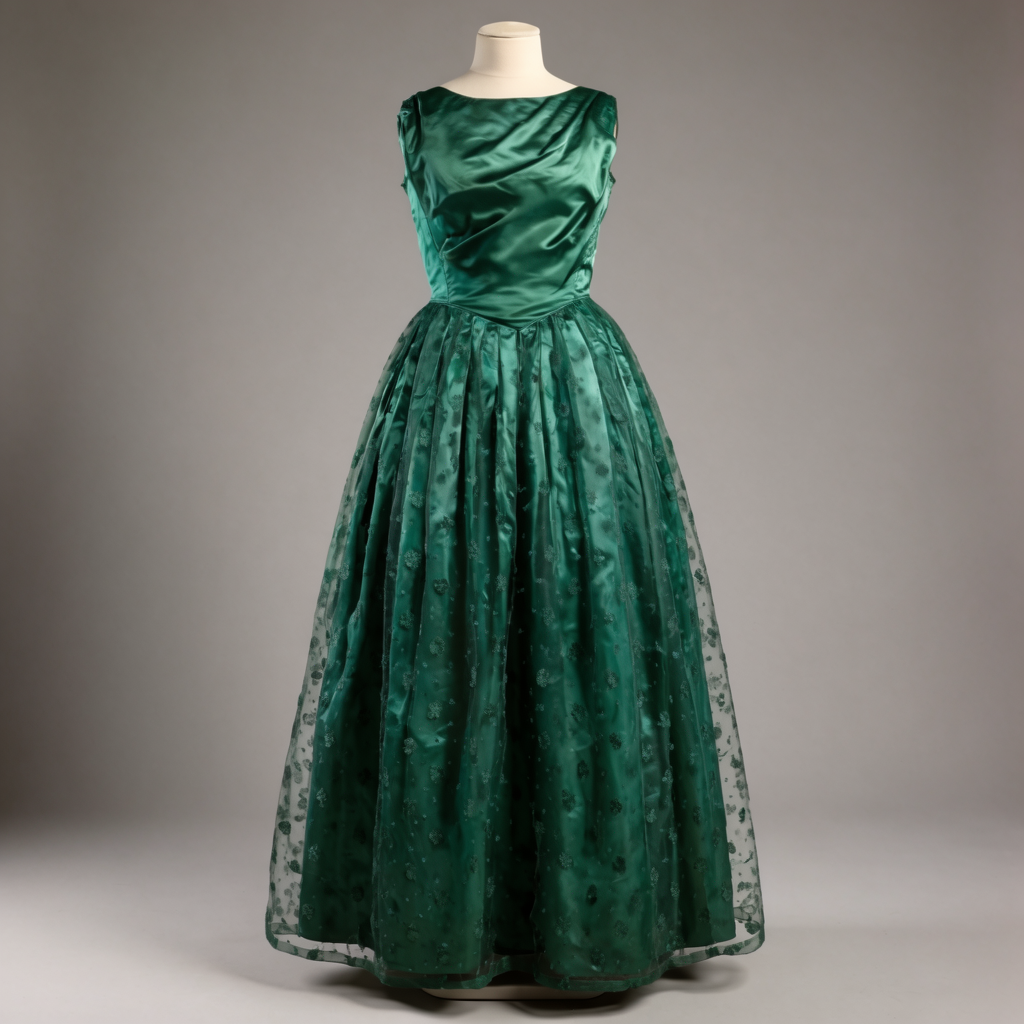
Example input
Parameters09
Prompt
Transform the dress image into a refined editorial fashion concept render with ink-sketch linework over soft color washes. Keep the full-garment pose and mannequin framing.
Acceleration
regular
Output Format
png
Strength
0.6
Enable Safety Checker
true
Num Inference Steps
8
Width
1024
Height
1024
Auto Size
true
Image EditStyle TransferFashionConcept Art
Response
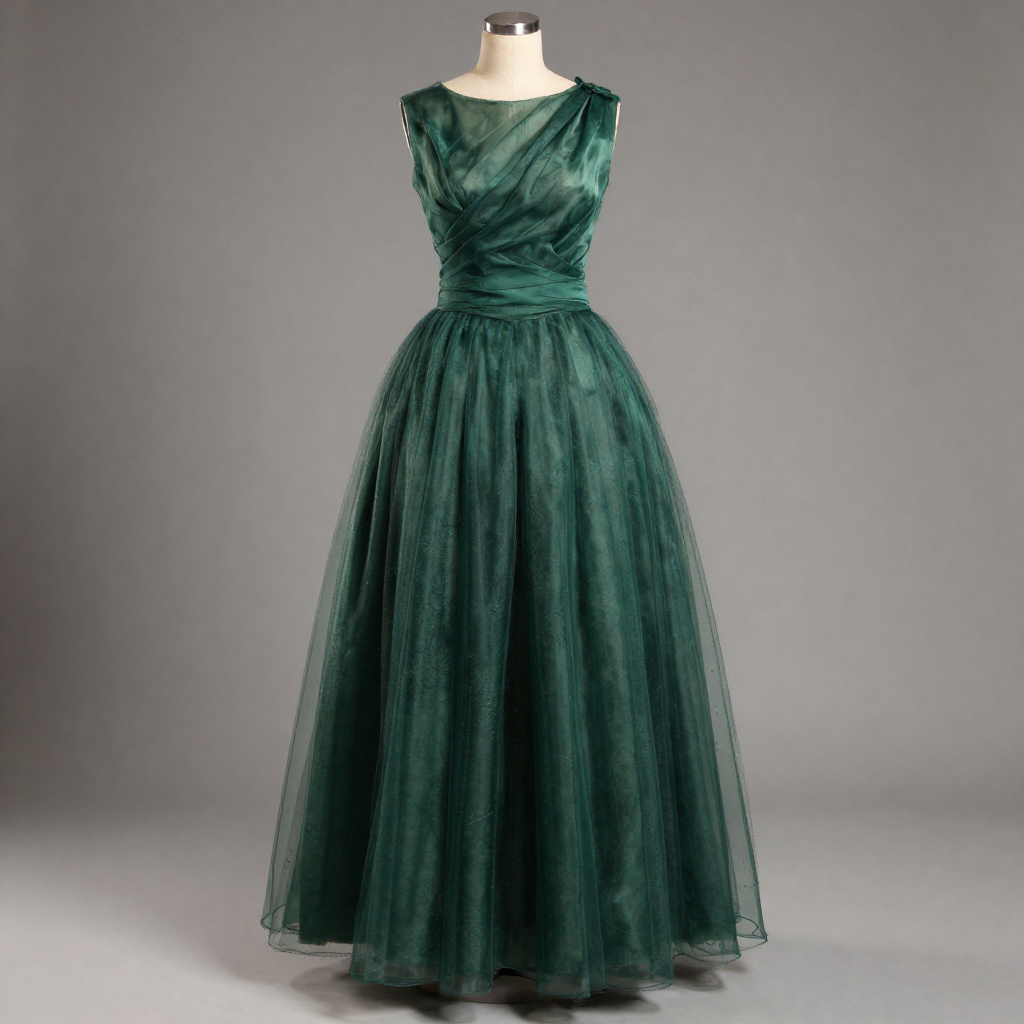
 output
Inputs (2)

Image

String

Image for Image-to-Image generation.

Min: 0Max: 100

Prompt

String

The prompt to generate an image from.

Multi InputMin: 0Max: 100
Parameters (10)

Prompt

String

The prompt to generate an image from.

Default:

Acceleration

String

The acceleration level to use.

Default: none

Output Format

String

The format of the generated image.

Default: png

Strength

Number

The strength of the image-to-image conditioning.

Default: 0.6

Enable Safety Checker

Boolean

If set to true, the safety checker will be enabled.

Default: true

Number Of Inference Steps

Number

The number of inference steps to perform.

Default: 8

Seed

Number

The same seed and the same prompt given to the same version of the model will output the same image every time.

width

Number

Sets the horizontal resolution of the output image in pixels.

Default: 1024

height

Number

Sets the vertical resolution of the output image in pixels.

Default: 1024

autoSize

Boolean

Automatically determines the optimal output dimensions based on the input image and model requirements.

Default: true
Outputs (1)

Output

Inferred

Output

Nodespell Team

Creator profile

Type

Node

Status

Official

Package

Nodespell AI

Category

AI / Image / Alibaba

Input

TextImage

Output

Image

Keywords

Image EditImage GenerationAspect ControlResolution Control
Use in Workflow