Back to Nodes
P-Video Avatar

P-Video Avatar

Official

Create a talking-avatar video from a still image and either uploaded audio or generated speech.

Nodespell AI
AI / Video / Pruna Ai

Create a talking-avatar video from a still image and either uploaded audio or generated speech.

Use this when a character, presenter, or portrait image needs to speak, with controls for resolution, voice, language, script, and speech style.

Model Examples (1)

Example Index01 / 01
Example 01

clandestine-confession-avatar

A still portrait becomes a restrained noir-style speaking performance with generated speech and precise lip sync.

Source Inputs01
Image
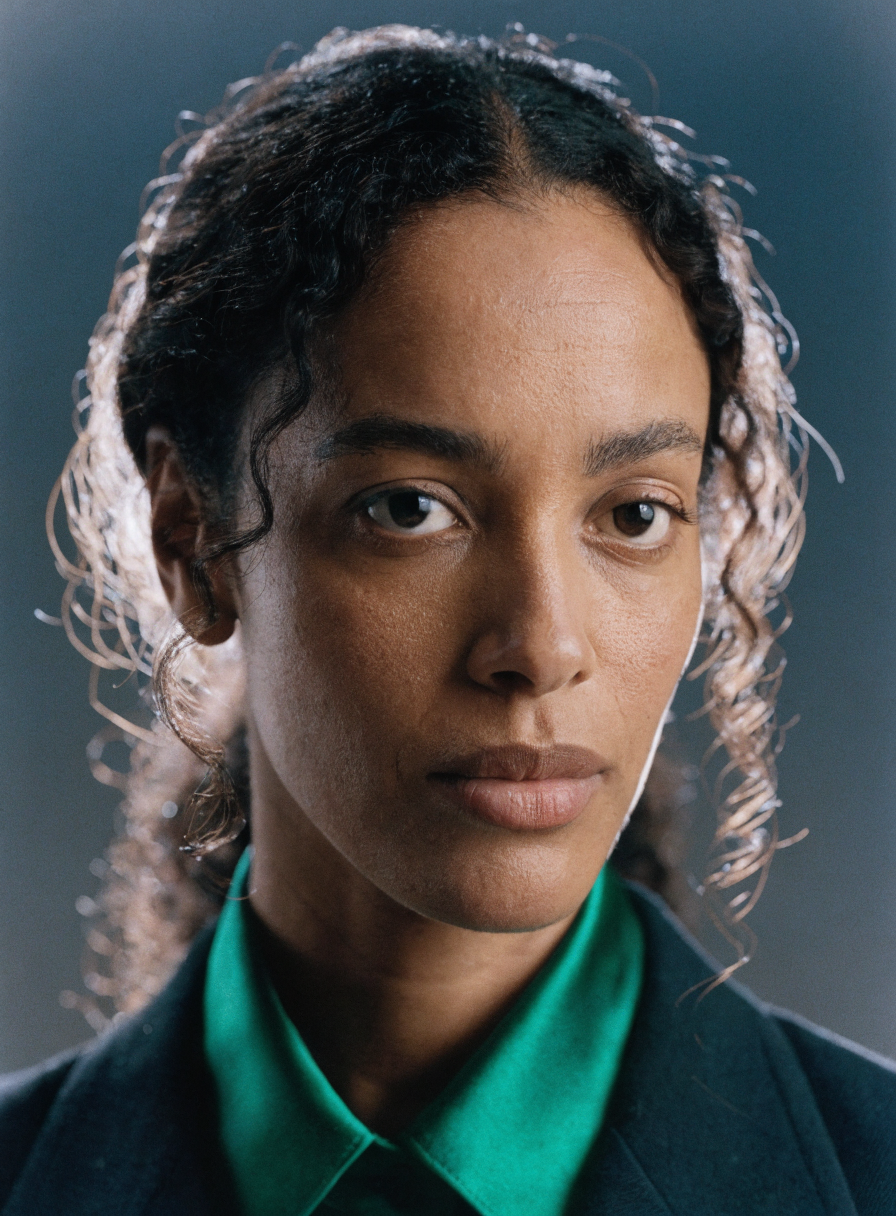
Example input
Parameters09
Resolution
720p
Voice Script
We burn the map after this take. If anyone asks where the road turns, tell them it ends at the river.
Voice
Kore (Female)
Voice Language
English (US)
Voice Prompt
Speak low, intimate, and unsentimental, like a road-weary lead in the final minutes of a neo-noir. Keep the words precise, controlled, and emotionally withheld rather than theatrical.
Video Prompt
The woman delivers the line directly to camera with restrained tension, soft blinking, minimal head movement, and natural breath before the second sentence. Keep the lip sync precise and the performance realistic, as if it were a clandestine one-take confession under practical light.
Negative Prompt
No exaggerated smiles, no dramatic head bobbing, no rubbery mouth shapes, no extra hands, no drifting eyes, no background motion, no subtitles, no text overlays.
Strength Negative Prompt
0.8
Disable Prompt Upsampling
false
avatarlip-syncgenerated-speechcharacterneo-noir
Response
Inputs (2)

Image

String

Input portrait or character image.

RequiredMin: 0Max: 100

Audio

String

Optional audio to drive speech. If provided, it is used instead of generated voice settings.

Min: 0Max: 100
Parameters (10)

Resolution

String

Output video resolution.

Default: 720p

Voice Script

String

Words the avatar should say when no audio file is provided.

Default:

Voice

String

Preset voice to use when generating speech from the script.

Default: Zephyr (Female)

Voice Language

String

Language or accent target for generated speech.

Default: English (US)

Voice Prompt

String

Style instructions for how to speak the script. These instructions are not spoken.

Default: Say the following.

Video Prompt

String

Visual prompt describing how the person should appear or behave while speaking.

Default: The person is talking.

Negative Prompt

String

Optional visual content to avoid.

Default:

Negative Strength

Number

Strength of the negative prompt.

Default: 0.5

Seed

Number

Optional seed for repeatable generation. Set to -1 for a random seed.

Disable Prompt Upsampling

Boolean

Skip automatic enhancement of the visual prompt.

Default: false
Outputs (1)

Output

Inferred

Generated video output.

Nodespell Team

Creator profile

Type

Node

Status

Official

Package

Nodespell AI

Category

AI / Video / Pruna Ai

Input

ImageAudioText

Output

Video

Keywords

Video GenerationLip SyncText To SpeechVoice Cloning
Use in Workflow