Back to Nodes
MAI Image 2.5

MAI Image 2.5

Official

Generate still images with Microsoft MAI Image 2.5 using prompt, aspect ratio, and output format controls.

Nodespell AI
AI / Image / Microsoft

Generate still images with Microsoft MAI Image 2.5 using prompt, aspect ratio, and output format controls.

Use this for general image ideation when you want a straightforward prompt-to-image node with predictable single-image output and standard framing choices.

Model Examples (5)

Example Index01 / 05
Example 01

Rainlight Corner Store

Grounded rainy-evening documentary image of a neighborhood shop.

Source Inputs01
Prompt

A small neighborhood corner store on a rainy evening in Lisbon, warm fluorescent light spilling onto wet cobblestones, a cyclist in a yellow raincoat locking a bike, produce crates under a striped awning, natural documentary photography, 35mm lens, realistic color, no logos or readable text.

Parameters03
Prompt
A small neighborhood corner store on a rainy evening in Lisbon, warm fluorescent light spilling onto wet cobblestones, a cyclist in a yellow raincoat locking a bike, produce crates under a striped awning, natural documentary photography, 35mm lens, realistic color, no logos or readable text.
Aspect Ratio
3:2
Output Format
png
documentarystreetrealism
Response
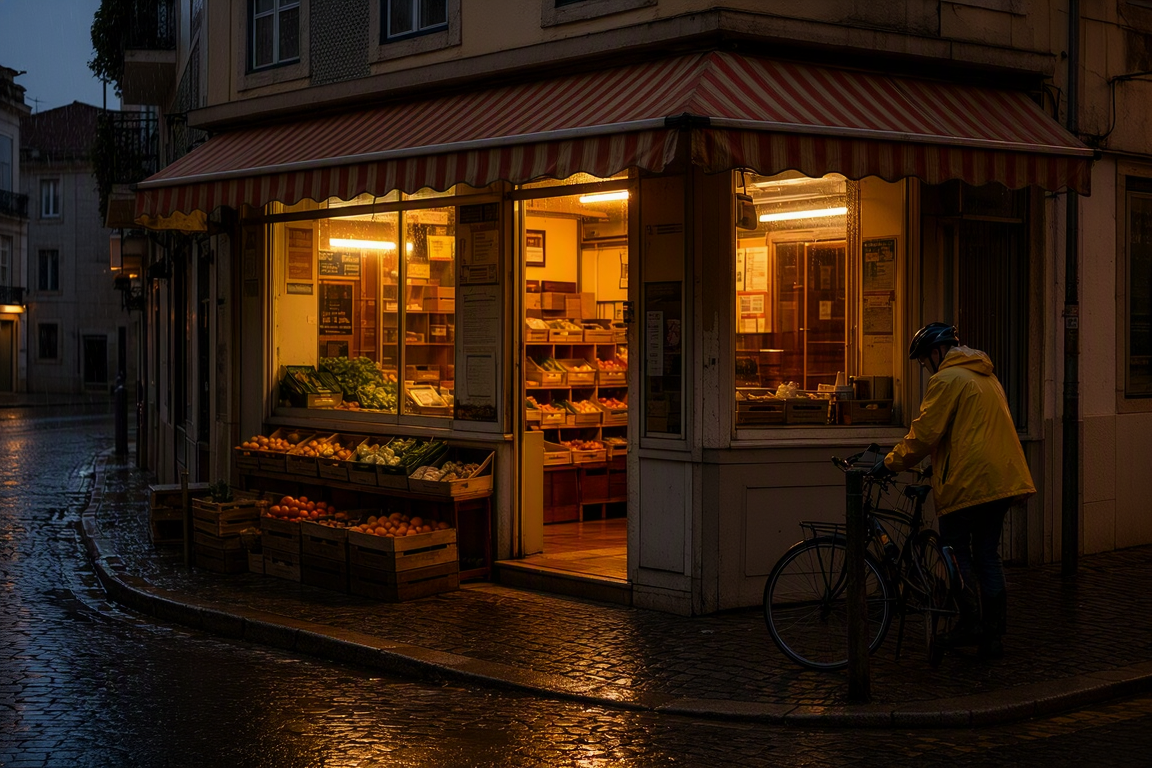
Rainlight Corner Store output
Inputs (1)

Prompt

String

Text prompt to generate an image from.

RequiredMulti InputMin: 0Max: 100
Parameters (3)

Prompt

String

Text prompt to generate an image from.

Required
Default:

Aspect Ratio

String

Output aspect ratio. Auto lets the model decide from the prompt.

Default: auto

Output Format

String

File format for the generated image.

Default: png
Outputs (1)

Output

Inferred

Generated image output.

Nodespell Team

Creator profile

Type

Node

Status

Official

Package

Nodespell AI

Category

AI / Image / Microsoft

Input

Text

Output

Image

Keywords

Image GenerationPrompt ConditioningAspect ControlResolution Control
Use in Workflow