Back to Nodes
Grok Imagine Video 1.5

Grok Imagine Video 1.5

Official

Animate a source image into a Grok Imagine 1.5 video clip.

Nodespell AI
AI / Video / Xai

Animate a source image into a Grok Imagine 1.5 video clip.

Use this for prompt-guided image-to-video generation when the input image should define the subject or opening frame.

Model Examples (6)

Example Index01 / 06
Example 01

Example 1

Source Inputs02
Image
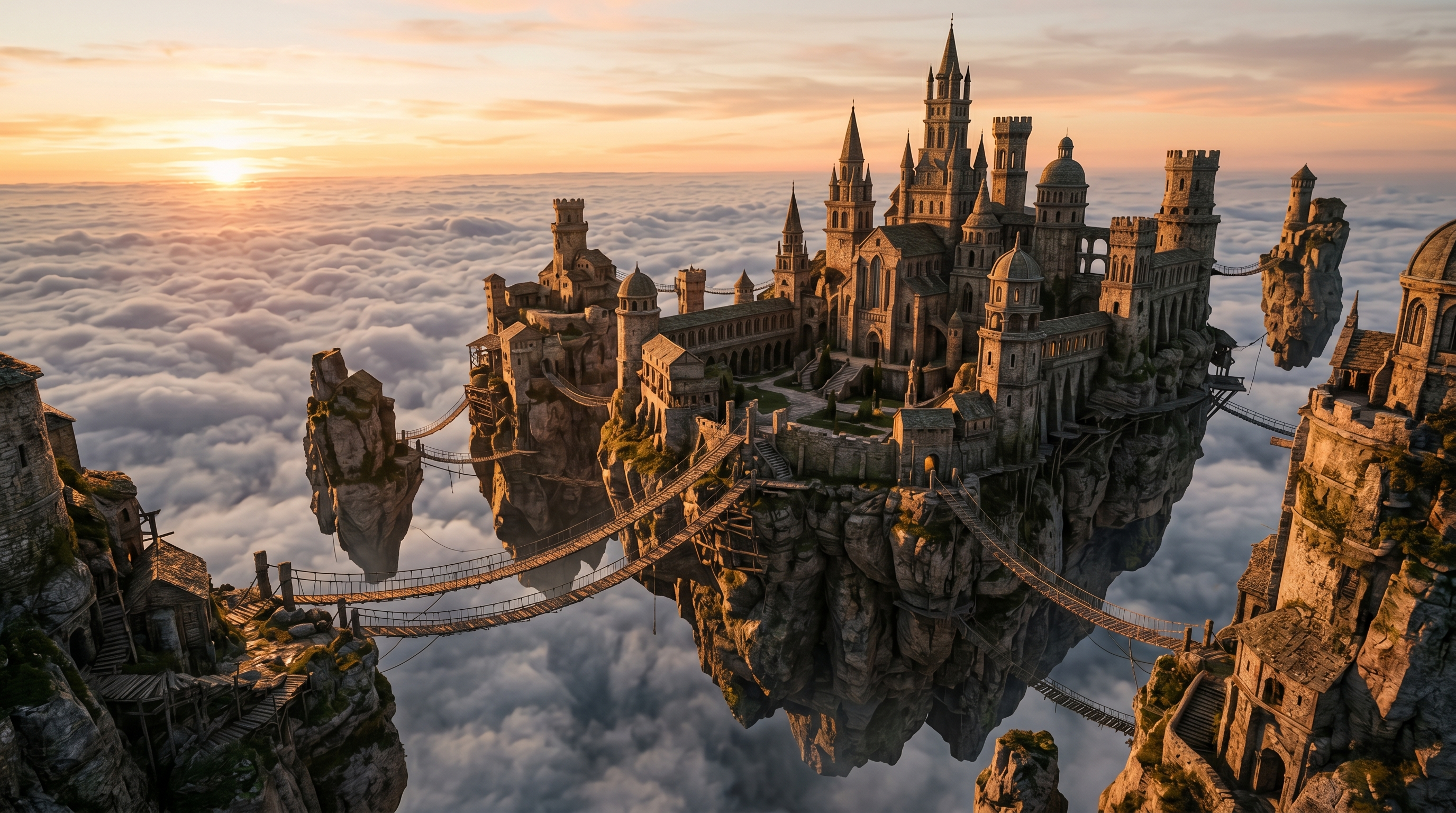
Example input
Prompt

Animate this floating island monastery as a short cinematic establishing shot: clouds drift below the stone islands, rope bridges sway gently, warm sunrise light moves across weathered towers, camera slowly floats forward, preserve the source composition, no text, no logos.

Parameters04
Prompt
Animate this floating island monastery as a short cinematic establishing shot: clouds drift below the stone islands, rope bridges sway gently, warm sunrise light moves across weathered towers, camera slowly floats forward, preserve the source composition, no text, no logos.
Aspect Ratio
auto
Duration
4
Resolution
480p
Image To VideoFantasyEstablishing ShotSource Asset
Response
Inputs (2)

Image

String

Input image to animate.

RequiredMin: 0Max: 100

Prompt

String

Prompt describing the motion or scene.

RequiredMulti InputMin: 0Max: 100
Parameters (4)

Prompt

String

Prompt describing the motion or scene.

Required
Default:

Aspect Ratio

String

Output aspect ratio. Auto uses the input image's native aspect ratio.

Default: auto

Duration

Number

Duration of the generated video in seconds.

Default: 5

Resolution

String

Output video resolution.

Default: 720p
Outputs (1)

Output

Inferred

Generated video output.

Nodespell Team

Creator profile

Type

Node

Status

Official

Package

Nodespell AI

Category

AI / Video / Xai

Input

ImageText

Output

Video

Keywords

Video GenerationImage To VideoPrompt ConditioningLength Control
Use in Workflow