Back to Nodes
Grok Imagine Image

Grok Imagine Image

Official

Generate images from text or edit a supplied source image with prompt guidance.

Nodespell AI
AI / Image / Xai

Generate images from text or edit a supplied source image with prompt guidance.

Model Examples (5)

Example Index01 / 05
Example 01

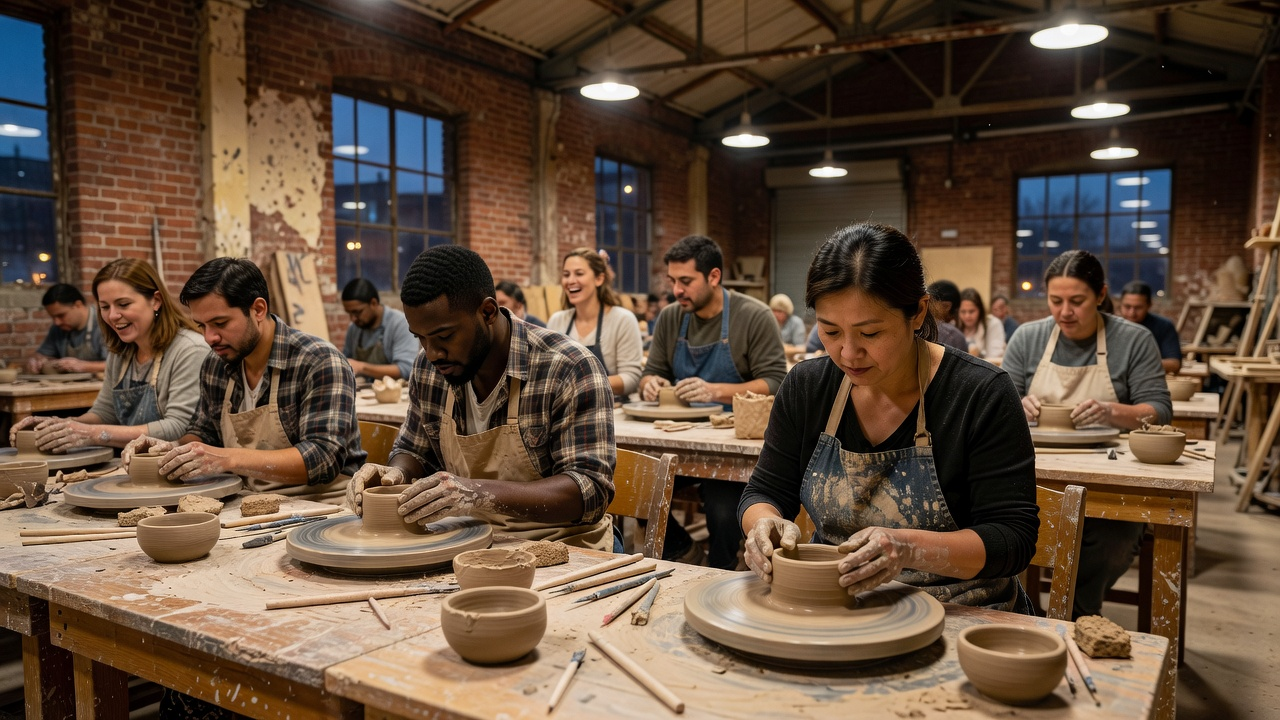
Community Pottery Class

Shows Grok Imagine Image across realistic, fantasy, commercial, conceptual, and social formats.

Source Inputs01
Prompt

Realistic lifestyle photograph of an evening community pottery class in a converted warehouse, clay-covered tables, diverse adults shaping bowls, warm practical lights, candid documentary framing, no logos, no readable text.

Parameters02
Aspect Ratio
16:9
Prompt
Realistic lifestyle photograph of an evening community pottery class in a converted warehouse, clay-covered tables, diverse adults shaping bowls, warm practical lights, candid documentary framing, no logos, no readable text.
text-to-imagegrok-imagineimage-generation
Response
Community Pottery Class output
Inputs (2)

Prompt

String

Text prompt for image generation or editing.

RequiredMulti InputMin: 0Max: 100

Image

String

Optional source image for edit mode.

Min: 0Max: 100
Parameters (2)

Prompt

String

Text prompt for image generation or editing.

Required
Default:

Aspect Ratio

String

Aspect ratio of the generated image. Ignored when editing a single input image.

Default: 1:1
Outputs (1)

Output

Inferred

Generated image output.

Nodespell Team

Creator profile

Type

Node

Status

Official

Package

Nodespell AI

Category

AI / Image / Xai

Input

TextImage

Output

Image

Keywords

Image GenerationImage EditingPrompt Conditioning
Use in Workflow