
Back to Nodes

GPT Image 2

Official

OpenAI's GPT Image 2 on fal.ai with explicit quality and output-size controls for one-at-a-time image generation.

Nodespell AI
AI / Image / Openai

OpenAI's GPT Image 2 on fal.ai with explicit quality and output-size controls for one-at-a-time image generation.

Model Overview

GPT Image 2 generates polished images from text prompts. This Nodespell node intentionally exposes a curated subset of controls so pricing stays understandable before the run and can still be corrected to fal's billed amount after completion.

Best At

  • Prompt-driven image generation with stronger quality control than a minimal text-to-image surface.
  • Clean iteration across fal's published output sizes or explicit custom width and height values.
  • Producing exports in PNG, JPEG, or WEBP without extra post-processing.

Limitations / Not Good At

  • This node fixes generation to one output image per run.
  • Custom sizes still need to satisfy fal's GPT Image 2 limits: multiples of 16, max edge 3840px, aspect ratio up to 3:1, and total pixels between 655,360 and 8,294,400.
  • Exact final billing can still vary, so the displayed estimate is only the starting point before post-run correction.

Ideal Use Cases

  • Marketing stills, social visuals, and concept art where explicit quality settings matter.
  • One-off image generation where predictable starting estimates are more useful than exposing every raw API field.
  • Workflows that need a simple OpenAI image model on fal.ai without custom request wiring.

Input & Output Format

  • Input: required prompt, plus quality, image_size_preset, optional custom_width / custom_height, and output_format.
  • Output: generated image asset returned on response.

Performance Notes

  • Higher quality and larger output sizes materially increase cost.
  • Custom sizes use the nearest published GPT Image 2 pricing bucket for the starting estimate, then Nodespell corrects credits after the run using fal billing events.

Model Examples (3)

Example Index01 / 03
Example 01

Canal Greenhouse Apartment

Generates a realistic wide architectural lifestyle still.

Source Inputs01
Prompt

A realistic architectural lifestyle image of a narrow canal-side apartment converted into a greenhouse dining room at dusk, condensation on tall windows, herbs growing from shelves, linen table set for four, warm practical lamps, outside water reflections, refined magazine photography, no visible text or logos.

Parameters04
Prompt
A realistic architectural lifestyle image of a narrow canal-side apartment converted into a greenhouse dining room at dusk, condensation on tall windows, herbs growing from shelves, linen table set for four, warm practical lamps, outside water reflections, refined magazine photography, no visible text or logos.
Quality
high
Image Size Preset
1920x1080
Output Format
png
architectureinteriorrealism
Response
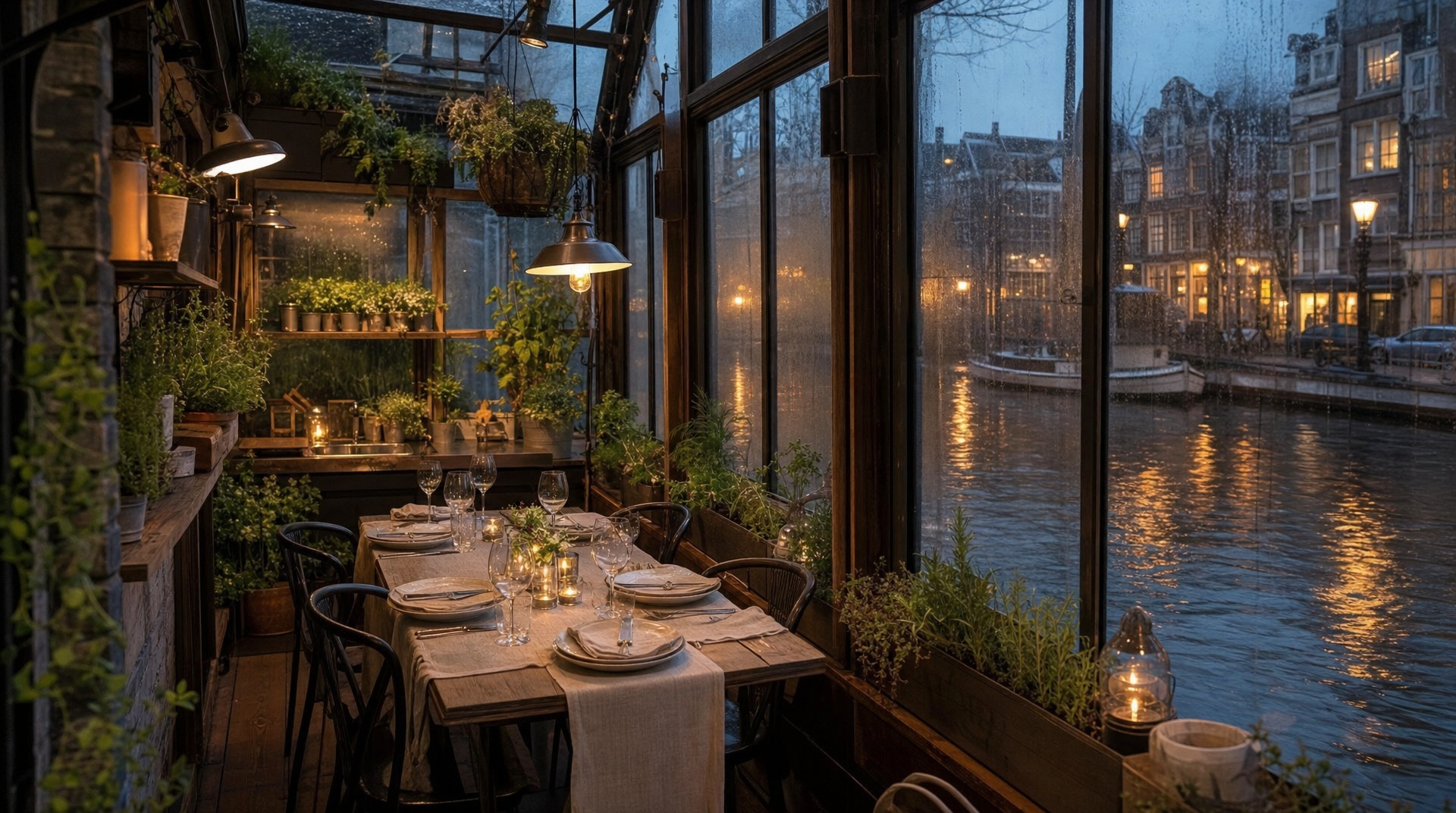
Canal Greenhouse Apartment output
Inputs (1)

Prompt

String

Text prompt describing the image to generate.

Multi InputMin: 0Max: 100
Parameters (6)

Prompt

String

Text prompt describing the image to generate.

Required
Default:

Quality

String

Image quality level. Higher quality increases detail and cost.

Default: high

Image Size

String

Pick a published GPT Image 2 size or choose Custom to enter explicit width and height values.

Default: 1024x768

Width

Number

Custom image width. GPT Image 2 requires multiples of 16, max edge 3840px, total pixels between 655,360 and 8,294,400, and aspect ratio up to 3:1.

Default: 1920

Height

Number

Custom image height. GPT Image 2 requires multiples of 16, max edge 3840px, total pixels between 655,360 and 8,294,400, and aspect ratio up to 3:1.

Default: 1080

Output Format

String

File format for the generated image.

Default: png
Outputs (1)

Output

Inferred

Generated image output.

Nodespell Team

Creator profile

Type

Node

Status

Official

Package

Nodespell AI

Category

AI / Image / Openai

Input

Text

Output

Image

Keywords

Image GenerationPrompt ConditioningResolution ControlStyle Control
Use in Workflow